
Casino Shuffle is an online casino brand that may appeal to UK players looking for casino games and a mobile-friendly experience. If you are considering downloading a Casino Shuffle APK, take care: an APK is an Android installation file, and installing one from an unofficial source can expose your device and personal information to risk. This guide explains how to check the source, protect your phone and account, and consider whether an APK is appropriate for you.
Availability, licensing and payment options can change, so verify current details directly with Casino Shuffle and the relevant authorities before registering or depositing. Do not assume that an app is genuine simply because its name or logo looks familiar.
What an APK is—and why the source matters
APK stands for Android Package Kit. It is the file format used to install apps on Android devices. Apps distributed through the Google Play Store are generally installed through that store, while an APK downloaded from a website may require you to allow installation from an external source. That extra step gives you more responsibility for checking whether the file is authentic and safe.
A counterfeit APK could imitate a casino app while collecting login details, showing misleading payment screens, or installing unwanted software. Even a file that appears to work normally may have been altered. For that reason, use an official Casino Shuffle distribution channel if one is currently available. If the operator does not clearly provide a verified APK, do not download a file from a third-party mirror, advertisement, social-media post or message.
Check the operator before downloading
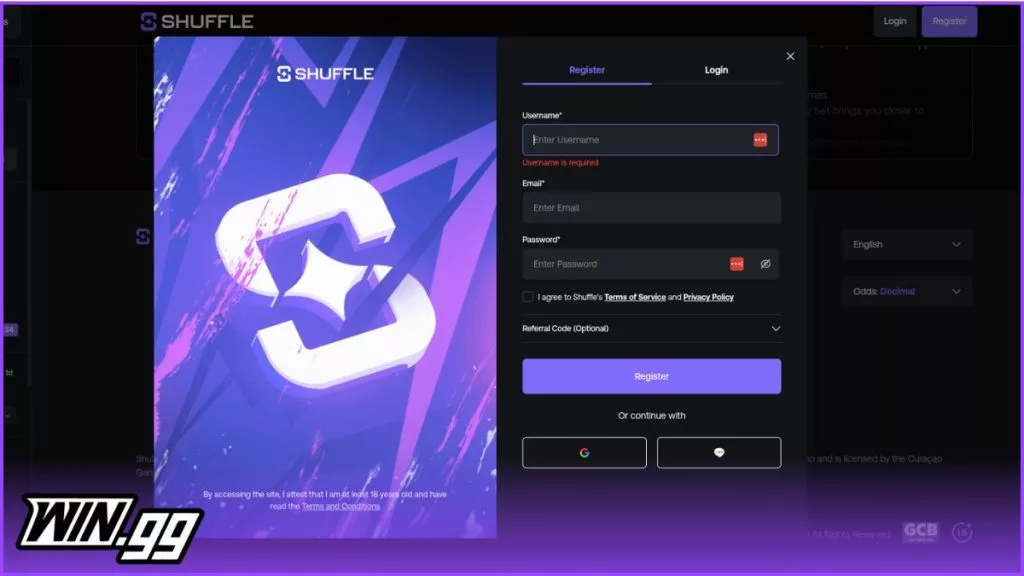
Before installing anything, visit Casino Shuffle’s official website by typing its address yourself or using a trusted bookmark. Check whether the site identifies the legal operator, explains its terms and conditions, and provides clear contact and responsible-gambling information. Look for a current link to the app, if offered, and confirm that the link remains on a domain the operator controls.
UK players should also verify the operator’s status with the UK Gambling Commission (UKGC) using the Commission’s official register. A website being accessible in the UK does not, by itself, prove that it is licensed to offer gambling services to people there. If you cannot confirm that the operator is authorised for the UK market, avoid depositing or playing for money. Do not rely on a logo or licence number shown only on a casino page; check the details independently.
Warning signs to take seriously
- A download link hosted on a file-sharing site or an unfamiliar domain.
- Pressure to install immediately, disable security protections, or share a verification code.
- Requests for permissions that do not make sense for a casino app, such as access to contacts or text messages.
- Promises of guaranteed winnings, unusually large bonuses, or “secret” versions of the app.
- No clear operator identity, licensing information, privacy policy or customer-support route.
Safer ways to access Casino Shuffle on Android
If Casino Shuffle offers an official app through a recognised app store in your region, use that listing rather than downloading an APK from elsewhere. Check the publisher name, app details and update history, and make sure the listing links back to the operator’s official website. A familiar icon alone is not enough to establish authenticity.
If there is no verified app-store listing, consider using the casino’s official mobile website in your browser instead—provided you have independently confirmed the operator is appropriately authorised for UK players. A browser-based site avoids installing an unknown package, although it does not remove the need to check licensing, website security and terms. A padlock in the browser indicates an encrypted connection; it does not certify that a casino is legitimate or licensed.
If an official APK is genuinely offered
- Reach the download page from the casino’s verified website, not from an advert or unsolicited message.
- Check that the page names the operator and provides instructions and support information.
- Review Android’s requested permissions before installation. Stop if they seem excessive or unrelated.
- Keep Android and Google Play Protect up to date. Do not disable security tools to force an installation.
- After installation, open the app through its icon and confirm that its login and payment pages use the operator’s genuine domain.
- Use a unique password and never share one-time passcodes, payment PINs or account credentials with anyone.
Android settings vary by device and version. If the phone warns that a file may be harmful, treat that warning seriously. Do not bypass it merely because a download page claims the app is safe. If in doubt, cancel the installation and contact Casino Shuffle through support details found independently on its official website.
Protect your account and payments
Use a password that you do not use elsewhere, and enable additional account security if the operator provides it. Avoid logging in over public Wi-Fi, particularly when making a deposit or submitting identity documents. Never send sensitive documents through an informal chat account or an address that you have not verified.
Before depositing, read the bonus terms, wagering requirements, withdrawal rules and any limits that apply. Promotions are not guaranteed profit, and bonus funds may have restrictions. Use payment methods in your own name and keep records of transactions. If a payment is declined or a withdrawal is delayed, contact the operator through its official support channel and retain relevant correspondence.
For UK gambling support, check the operator’s responsible-gambling tools, such as deposit limits, time-outs and self-exclusion. You can also find independent help through organisations such as GamCare. Only gamble with money you can afford to lose, and stop if gambling is affecting your finances or wellbeing.
Casino Shuffle on mobile: what to check
Whether you use an app or a browser, the experience depends on the games and features currently offered by the operator. Look for clear game rules, provider information and stated return-to-player figures where available. Remember that an RTP is a long-run theoretical measure, not a prediction of what any individual player will win.
Check that the site works properly on your device before making a deposit. The games should display clearly, account pages should be accessible, and support should be easy to reach. If you encounter unexplained redirects, repeated login prompts, unexpected downloads or payment requests outside the casino’s normal cashier, close the page and investigate before proceeding.
Common questions from UK players
Is there an official Casino Shuffle APK?
Availability can change, and it should not be assumed. Check Casino Shuffle’s verified website or a recognised app-store listing. If the operator does not link to an APK directly, treat third-party copies as unverified.
Can I install an APK safely?
No APK can be considered safe solely because it installs successfully. Risk is reduced by using a verified source, checking permissions and keeping device protections enabled, but these steps cannot guarantee that a file is harmless.
Is Casino Shuffle licensed for UK players?
Check the UK Gambling Commission’s official register for the current legal operator and relevant permissions. If you cannot confirm UK authorisation, do not use the casino for real-money gambling.
What should I do if I already installed a suspicious file?
Disconnect from sensitive accounts if you suspect compromise, uninstall the app, run your device’s security scan and change affected passwords from a trusted device. Contact your bank or payment provider if you entered financial details, and report the incident through appropriate official channels.
Final verdict: verify first, install only if authentic
Downloading a Casino Shuffle APK safely begins with verifying the operator and the file’s source—not with tapping the first download button you find. UK players should confirm the operator’s current UKGC status, prefer a trusted app-store listing or official mobile website, and avoid third-party APK sites. Keep device security enabled, scrutinise permissions and payment requests, and do not proceed if anything feels inconsistent.
The Shuffle member area should only be accessed through a verified Casino Shuffle channel. If you cannot establish that a download is genuine or that the operator is authorised to serve UK customers, the safest choice is not to install the app or deposit money.